Call history (History)
Context
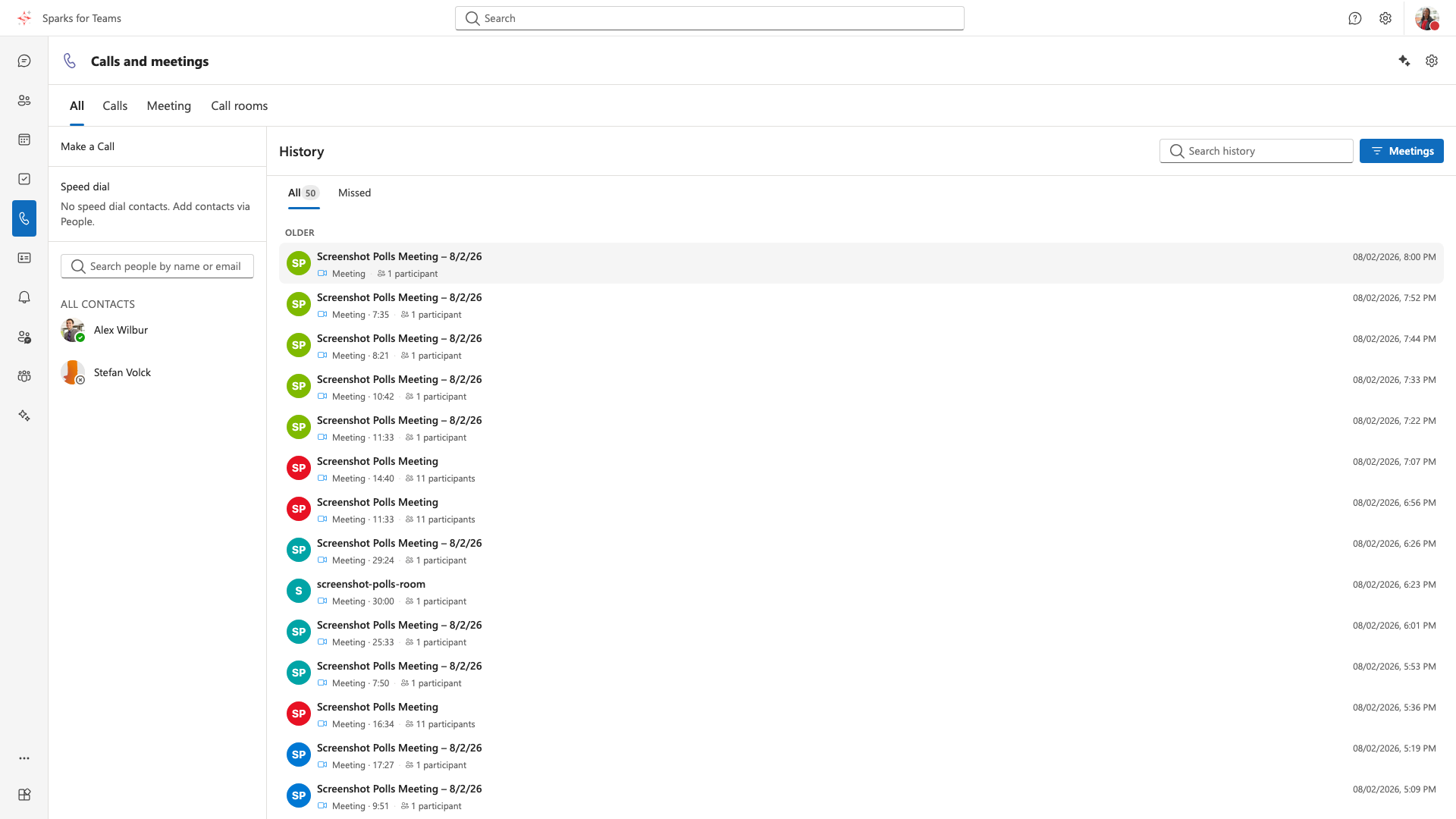
History panel in Calls. UI label: History / Verlauf. Shows past calls and meetings (organization telephony/call-log backend or local Vista node).
How to Open
- Open Calls in the sidebar
- Desktop: right history panel; mobile: History tab (next to Make a Call)
- Top area tabs All · Direct · Meetings · Call rooms scope the list
- Sorted newest first
Status and type filters
| Control | Options |
|---|---|
| Status tabs | All, Missed |
| Type filter (menu) | All types, Incoming, Outgoing, Meetings, With transcript, With AI summary |
| Search | Search calls |
Content per Entry
| Element | Description |
|---|---|
| Type icon | Incoming, outgoing, missed, voicemail / meeting |
| Participant | Name or number |
| Time | Date and time |
| Duration | For completed calls |
| Details | Click opens detail drawer (if available) |
Actions
| Action | Description |
|---|---|
| Call back | Start a new call to the contact |
| Add to Speed dial | Entry in the dial panel / Speed dial |
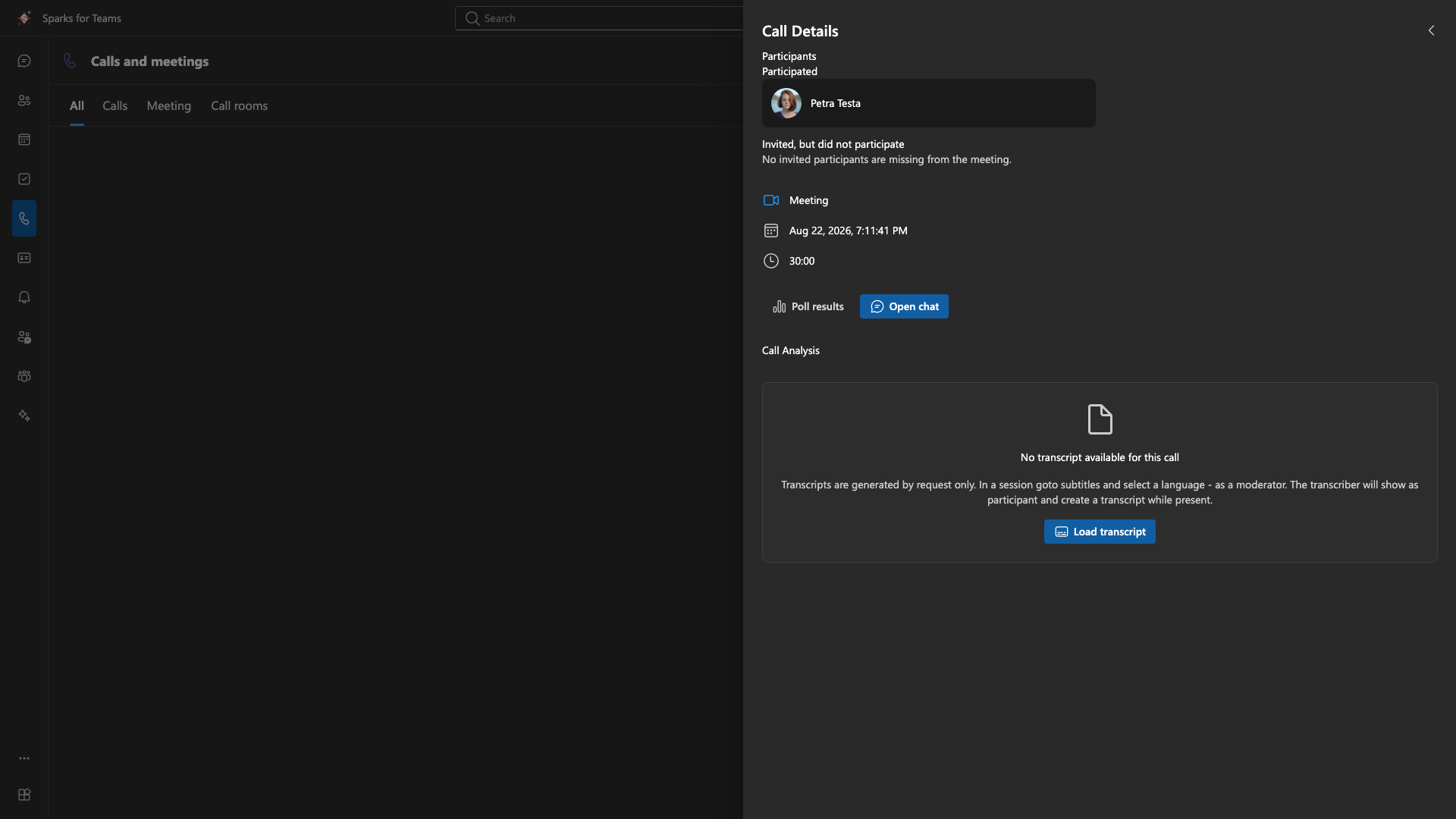
| Open details | Full info, possibly transcript / AI summary |
Transcripts
Live captions during a meeting and the stored transcript in the details drawer are different: captions are visible to everyone in the room; a persisted transcript in call history requires the right server setup (transcriber, database on the Vista node where applicable). Only finalized lines are stored — text that is still changing while someone speaks is live-only. In-meeting display: Meeting roles.
For supported calls (depends on backend):
- Full text / raw transcript (e.g. Vista node with PostgreSQL)
- Summary and action items (e.g. Sparks Conf) when provided by the backend
In the linked meeting chat, after the transcript is ready, the system line Meeting transcript is available may appear — with a link into this call log (transcript focus).
Recordings
With server-side recording (LiveKit Egress), after stop the meeting chat shows Meeting recording is available with Download recording (short-lived presigned URL; sign-in required). The call-log entry may also be marked with hasRecording / a storage key (local call log) when the backend stores that metadata.
Multiple meetings in the same room: Persistent Matrix chats (e.g. a team channel) can host back-to-back meetings. Each call-log entry and the transcript in Details refer to that meeting—not earlier calls in the same chat (Vista node with local call log and PostgreSQL, as of May 2026).
Reconnects: If you briefly disconnect and rejoin the same meeting within about five minutes, the server typically reuses the same call-log entry instead of creating a duplicate row (same user, same LiveKit room).
Post-meeting sharing (moderators): In the call detail drawer, appointment moderators can share with participants after the meeting ends:
- Participant protocol — who joined this meeting instance (attendance-style list)
- Transcript — stored meeting transcript (when created and saved for the appointment)
Recipients see a shared entry in their call log with limited access (protocol only, transcript only, or both). Shares can be revoked. Organizer options allow post-meeting share of protocol and allow post-meeting share of transcript control whether moderators may grant each type (see Event meeting options).
Operations note: Who may read stored transcripts is controlled by server policy. After the meeting ends, sessions are finalized and temporary buffers cleared.
Requirements
- Typical: OIDC; call log from the organization’s telephony / Conf backend
- Alternative (self-hosted): local call log on the Vista node with Matrix identity / token—ask your administrator
- Without suitable authentication: history may be empty or limited
📸 Screenshot:
📸 Screenshot: