Connect Calendly to Sparks
Updated: August 2026
With the Calendly integration, bookings from Calendly appear in your Sparks calendar. Optionally, Sparks creates an online meeting, and busy sync blocks Calendly slots based on your Sparks events (via Microsoft Outlook).
Sprache / Language: Deutsch
Overview
| Topic | Details |
|---|---|
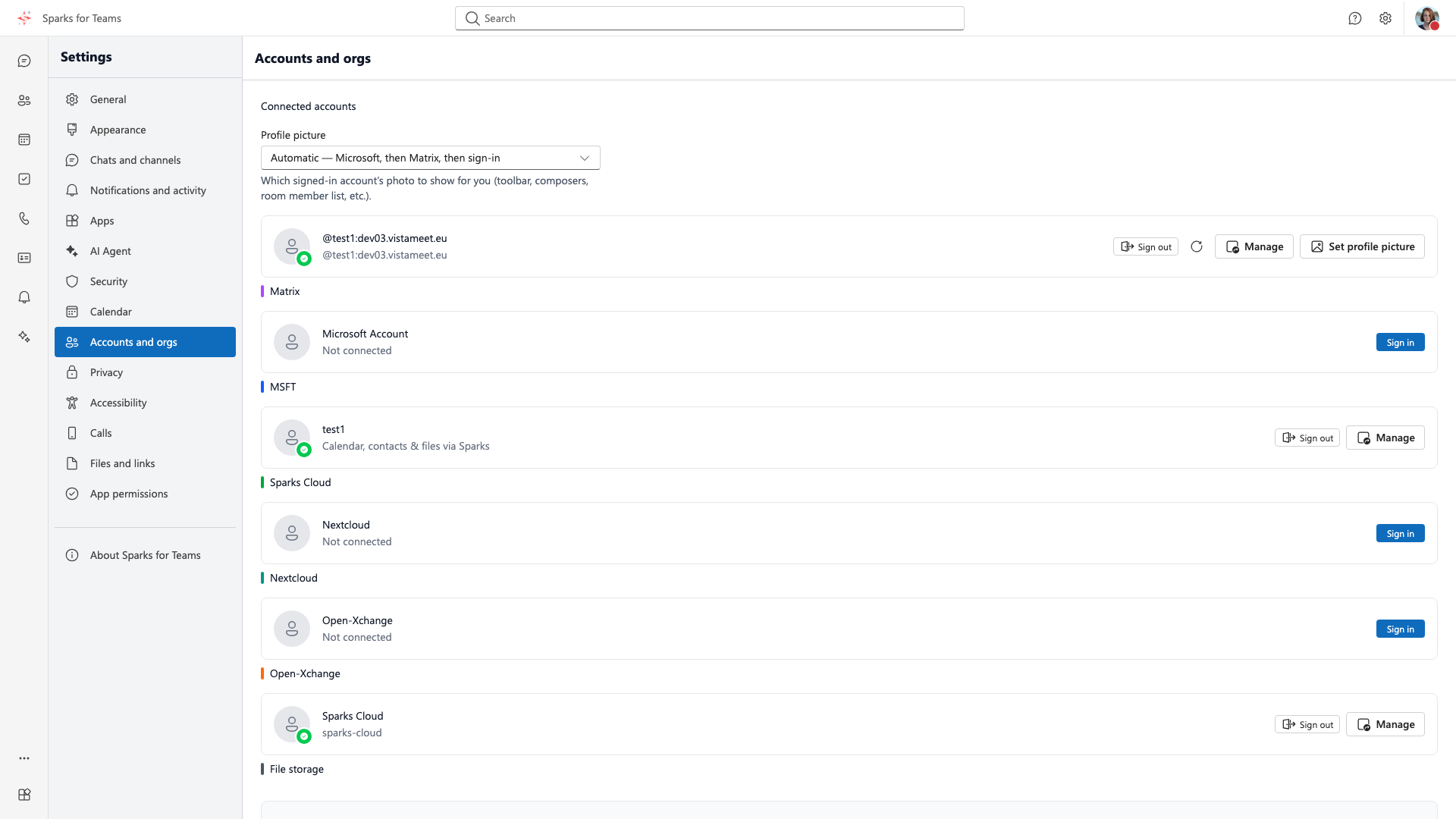
| Where in Sparks | Settings → Accounts (Accounts & organisations) → Calendly section |
| Connect | Prefer Connect with Calendly (OAuth); personal access token as fallback |
| Result | Booking → event in the Sparks calendar (Calendly source badge) |
| Online meeting | Mapping Sparks online meeting (default) adds a join link |
| Busy sync | Sparks busy → Microsoft Outlook so Calendly does not offer that slot |
📸 Settings → Accounts:
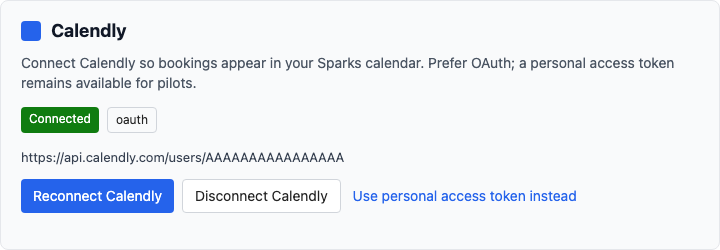
📸 Calendly section:
Prerequisites
- Sparks account with Calendly integration entitlement (often Pro/paid; otherwise enabled by your organisation or operator).
- Without entitlement, the Calendly section under Accounts does not appear.
- For busy sync: Microsoft connected under the same Accounts settings (calendar access).
- In Calendly, use the same Outlook/Microsoft calendar as the availability source that Sparks writes busy into.
Connect Calendly
- Open Settings (Ctrl+. / Cmd+.) → Accounts tab.
- Scroll to the Calendly section.
- Click Connect with Calendly and approve access in Calendly.
- After redirect you should see status Connected (auth mode
oauth).
Disconnect: Disconnect Calendly removes the link and stops new webhook bookings (existing calendar events stay until you delete them).
Personal access token (pilot)
If OAuth is not available in your environment:
- Expand the personal access token section.
- Paste the personal access token and webhook signing key from Calendly.
- Optionally set the Calendly user URI (often filled automatically).
- Save Calendly credentials.
Secrets are stored encrypted and are never shown again.
What happens on a booking?
When someone books a slot via your Calendly link:
- Calendly notifies Sparks (webhook).
- Sparks creates (or updates) an event in the Sparks calendar.
- The guest appears as an attendee (accepted).
- With Sparks online meeting, the event includes a meeting join link.
- If the guest cancels in Calendly, the Sparks event is removed.
Duplicate webhooks do not create a second event.
Map event types
After connecting, Sparks lists your active Calendly event types. Per type you can save:
| Setting | Meaning |
|---|---|
| Create Sparks events for this type | Off = bookings of this type are ignored |
| Location mode | See below |
| Subject template | Placeholders {name}, {invitee_name}, {event_type} |
Location mode
| Mode | Effect |
|---|---|
| Sparks online meeting | Event + Sparks meeting link (default) |
| Calendar only (no meeting link) | Event without appointment |
| Use Calendly location | Location/text from Calendly, no Sparks meeting |
📸 Event-type mapping:
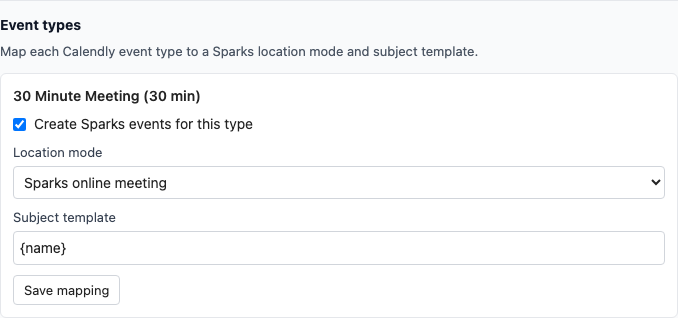
Without a saved mapping: default Sparks calendar and location mode Sparks online meeting.
Busy sync (availability)
Busy sync writes busy times from your Sparks calendar as blockers into Microsoft Outlook. Calendly reads that Outlook calendar and stops offering those slots.
- Under Busy sync, enable target Microsoft calendar.
- Turn on Enable busy sync (without linked Microsoft → error message).
- Optionally Sync busy now for an immediate run.
- In the background Sparks refreshes blockers regularly (typically every few minutes).
Notes:
- Google as a busy target is not available from the server yet — use Microsoft.
- In Calendly, the same Microsoft calendar must be connected for availability.
- After Graph calendar permissions are first granted, you may need to reconnect Microsoft under Accounts.
📸 Busy sync:

Tips & troubleshooting
| Symptom | Likely cause |
|---|---|
| No Calendly section | Feature not entitled (plan / organisation) |
| OAuth does not start | Operator: check Calendly OAuth app and redirect URL |
| Booking missing in calendar | Disconnected, mapping disabled, or webhook unreachable |
| No meeting link | Location mode is not Sparks online meeting |
| Busy sync error | Microsoft not linked or target not selected |
| Calendly still shows free slots | Busy sync off, wrong availability calendar in Calendly, sync not run yet |
Related topics
- Sparks booking pages — native public booking without Calendly
- Settings – provider accounts
- Area: Calendar
- Data backends
- Outlook add-in — create meetings/events in Outlook (independent of Calendly)